
The LTO LTMS Portal is but one way of the digitization of the agency of its services. With an account, you can have access to your information stored in the LTO’s database, edit them, and in the future, facilitate your transactions online by using it. But how does one create an account? Don’t fret, as you’ve just stumbled upon a most simplified guide to do so.
Step-by-Step Guide for creating an LTO LTMS account
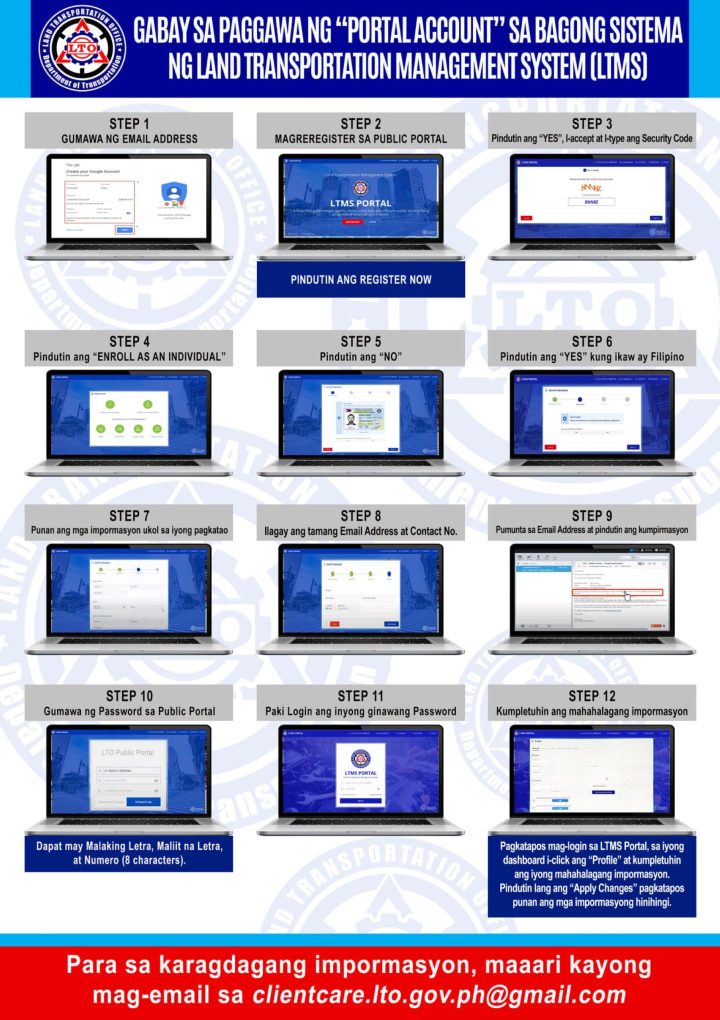
In this guide, we’ll be lining up each step required to create an account in the LTO LTMS portal. We’ll be using the infographic above from the LTO, but we did say that it will be a simple guide, so here we go.
Step 1: Have a valid email address
Step 2: Click here to enter the LTO LTMS Portal
Step 3: Click on Register Now, Agree to the Terms and Conditions, input the security code, and click Next
Step 4: Select Enroll As An Individual
Step 5: Have a Driver’s or Conductor’s license? Click on Yes and fill out the information fields if you do, and if you don’t, click on No.
Step 6: Filipino? Click Yes. If you’re not, then click on No.
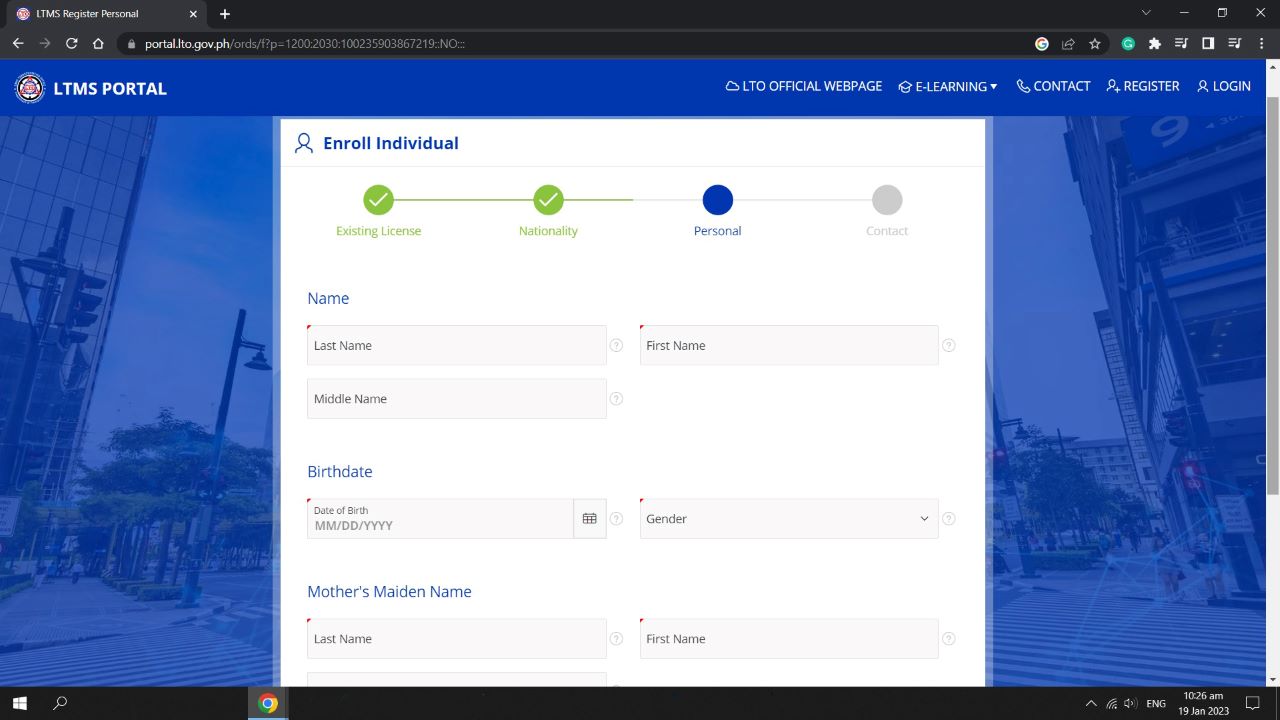
Step 7: You’re supposed to be on the screen shown above. Fill it out with the correct details
Step 8: In the next screen, input your contact number and a valid email address
Step 9: Check your email inbox, click on the LTO LTMS confirmation email, and click on the link
Step 10: Create a password and log in using that and your email address
Step 11: Navigate to your Profile page in the LTO LTMS Portal, fill out all the information fields, and click on “Apply Changes”
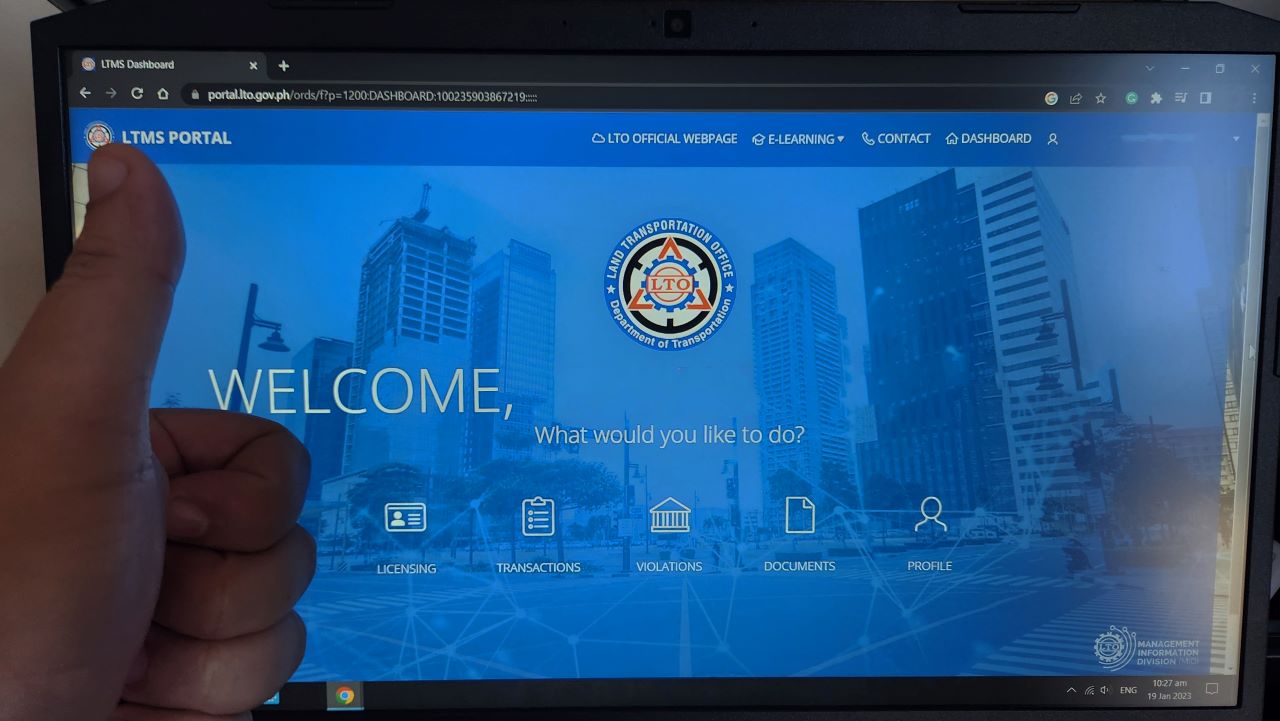
At this point, your LTO LTMS account should already have been created and your details filled out completely. Using your login credentials, you can view all your transactions with the LTO. As we speak, the agency is continuously updating the system to further improve your user experience as well as to make the Portal home to even your license renewals, among others.
Congrats, you now have an LTO LTMS account. Use it to your advantage, ladies and gentlemen!







Mag reregister sana po ako